Logo

Run poster integration notes

TraveledMap integration for event registration platforms

This document is meant to help platform teams estimate which data and hooks are needed to offer personalized race posters. The exact implementation can stay flexible: some platforms will prefer webhooks, others will prefer API access or post-race batches.

Integration levels

The three levels can be implemented progressively. Level 3 gives the best participant experience because the order can be produced and shipped with the least extra work from the runner.

Good starting point

Level 1

Basic integration

Participant completes the poster after the race

The platform only shares the participant email. TraveledMap contacts the runner and asks them to complete the personalization flow.

Required data

  • Participant email address*
Better UX

Level 2

Pre-filled poster

Participant reviews a poster that is already personalized

TraveledMap receives runner and race data, prepares the poster, then sends the participant a link to validate it. No extra payment is required because the poster has already been paid through the platform.

Required data

  • Participant email address*
  • Participant name
  • Finish time
  • Bib number
  • Race distance
  • Selected format: A4 or A3

* Participant email addresses are only used to contact runners about their poster order: delivery information, or a finalization link when the selected integration level requires the participant to complete or validate the poster.

Suggested workflow

The workflow below combines the functional steps, the optional technical hooks, and the data that should be available at each stage.

Step 1. Present TraveledMap to event organizers

The platform presents TraveledMap as an optional add-on or partner product that an organizer can enable for an event.

Platform side

  • Display a generic product image
  • Show two sizes: A4 and A3
  • Mention that six poster colors are available to participants
  • Show the platform commission or margin by size, when relevant

TraveledMap side

  • Provide generic product images
  • Provide product copy
  • Confirm pricing and commission rules with the platform

Step 2. Notify TraveledMap when an event enables the product

Once an organizer selects TraveledMap, the platform notifies us so we can prepare the event or race poster.

POSThttps://api.traveledmap.com/posters/integrations/{platform}/events

Platform side

  • Call the activation endpoint
  • Send the route file when available
  • Send an organizer contact when the GPX is not available

TraveledMap side

  • Create or update the event integration record
  • Prepare the poster design
  • Contact the organizer if route data is missing

Step 3. Display the race-specific poster preview

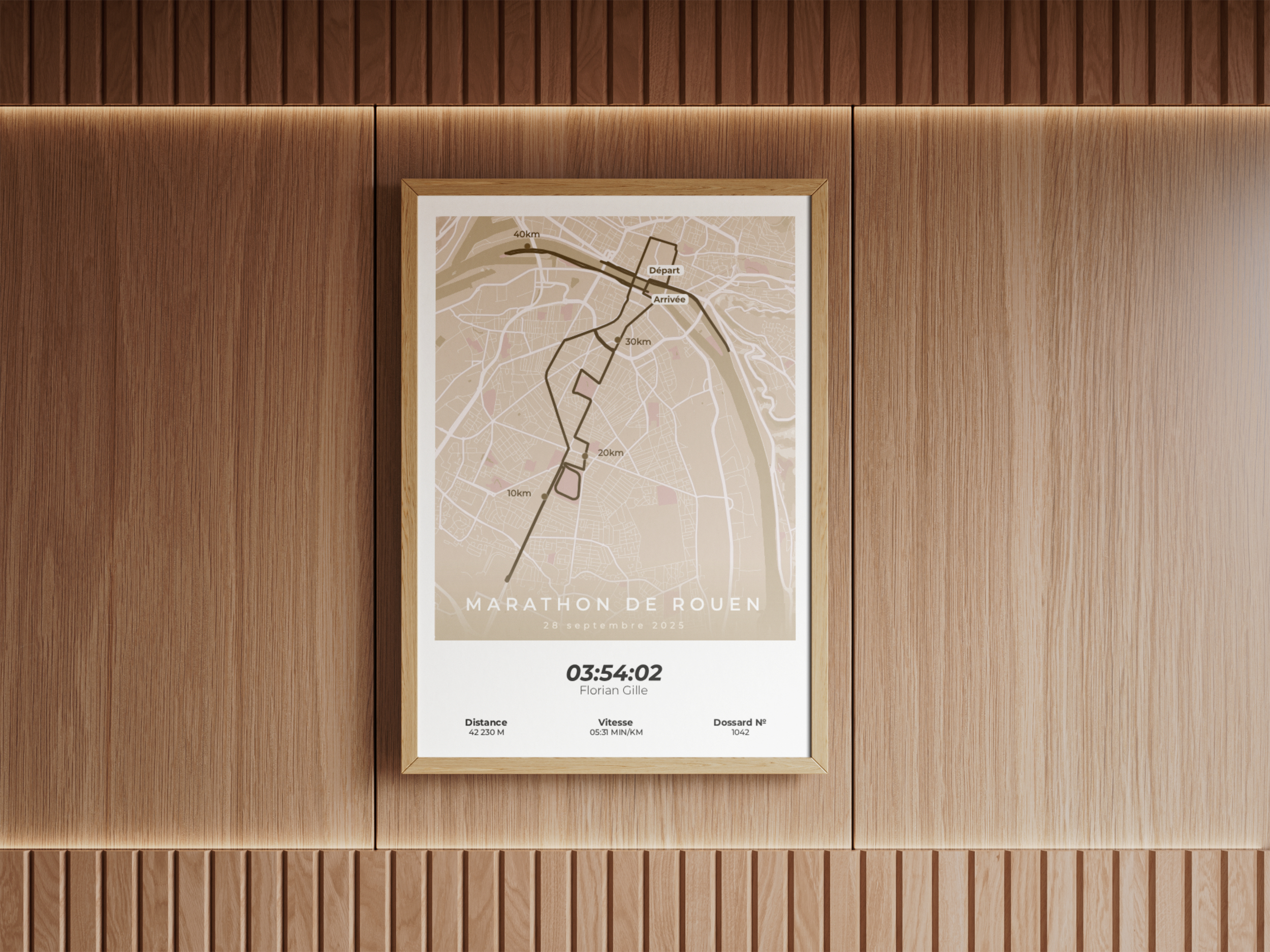
The platform can use a stable image URL to display the poster preview to organizers or participants.

GEThttps://api.traveledmap.com/posters/integrations/{platform}/events/{eventId}/poster-preview.jpg?runId={runId}

Platform side

  • Use the preview URL as an image source
  • Pass the event ID in the path and the optional run ID as a query parameter
  • Display the returned fallback image while the poster is not ready

TraveledMap side

  • Return the race-specific poster image when ready
  • Return a generic fallback image while the poster is pending
  • Keep the image URL stable so the platform does not need to update product content

Step 4. Notify TraveledMap when a participant buys a poster

The purchase usually happens during registration or after registration. At this stage, TraveledMap does not try to produce the final poster yet; we only store the order context and the data that will help finalize the poster after the race.

POSThttps://api.traveledmap.com/posters/integrations/{platform}/orders

Platform side

  • Call the order endpoint when a poster is purchased
  • Send the participant and product data available at purchase time
  • Keep race result data for the post-race finalization step when it is not available yet

TraveledMap side

  • Create a poster order context
  • Store the participant and purchase data needed for later finalization
  • Wait until the race is finished before producing the participant poster

Step 5. Produce the final participant poster

The final production flow depends on the integration level and on which data the platform can share after the race is finished.

Platform side

  • Expose the required data through an API that TraveledMap can call after the race has finished
  • Or send the required data through a webhook
  • Or let TraveledMap contact the participant when the platform does not have all personalization data

TraveledMap side

  • Call the platform API after the race has finished, if that is the chosen integration mode
  • Generate the final poster
  • Ask the participant to complete missing data when needed
  • Submit the order for printing and delivery when the order is complete

Example organizer-facing product block

This is the type of content that could be shown inside a platform when an event organizer is choosing add-ons for their event.

Generic TraveledMap race poster preview
Participant souvenir

Personalized race poster

Offer participants a poster based on the official race route. The poster can be personalized with runner data, printed in A4 or A3, and produced in six color options.

Product
Personalized race poster
Formats
A4 and A3
Colors
6 choices
Public price
EUR 19.90 A4, EUR 27.90 A3
Platform margin
To be defined by size or agreement
  • Generic visual available immediately
  • Race-specific visual available after route setup

Want to know more?

See how TraveledMap run posters work for runners, organizers, brands, and platforms.